How Notion Scaled AI Q&A to Millions of Workspaces
Kafka, Spark and Ray powering low-latency, high-throughput search pipelines
Fellow Data Tinkerers
Today we will look at how Notion scaled its AI Q&A to millions of users.
But before that, I wanted to share with you what you could unlock if you share Data Tinkerer with just 1 more person.
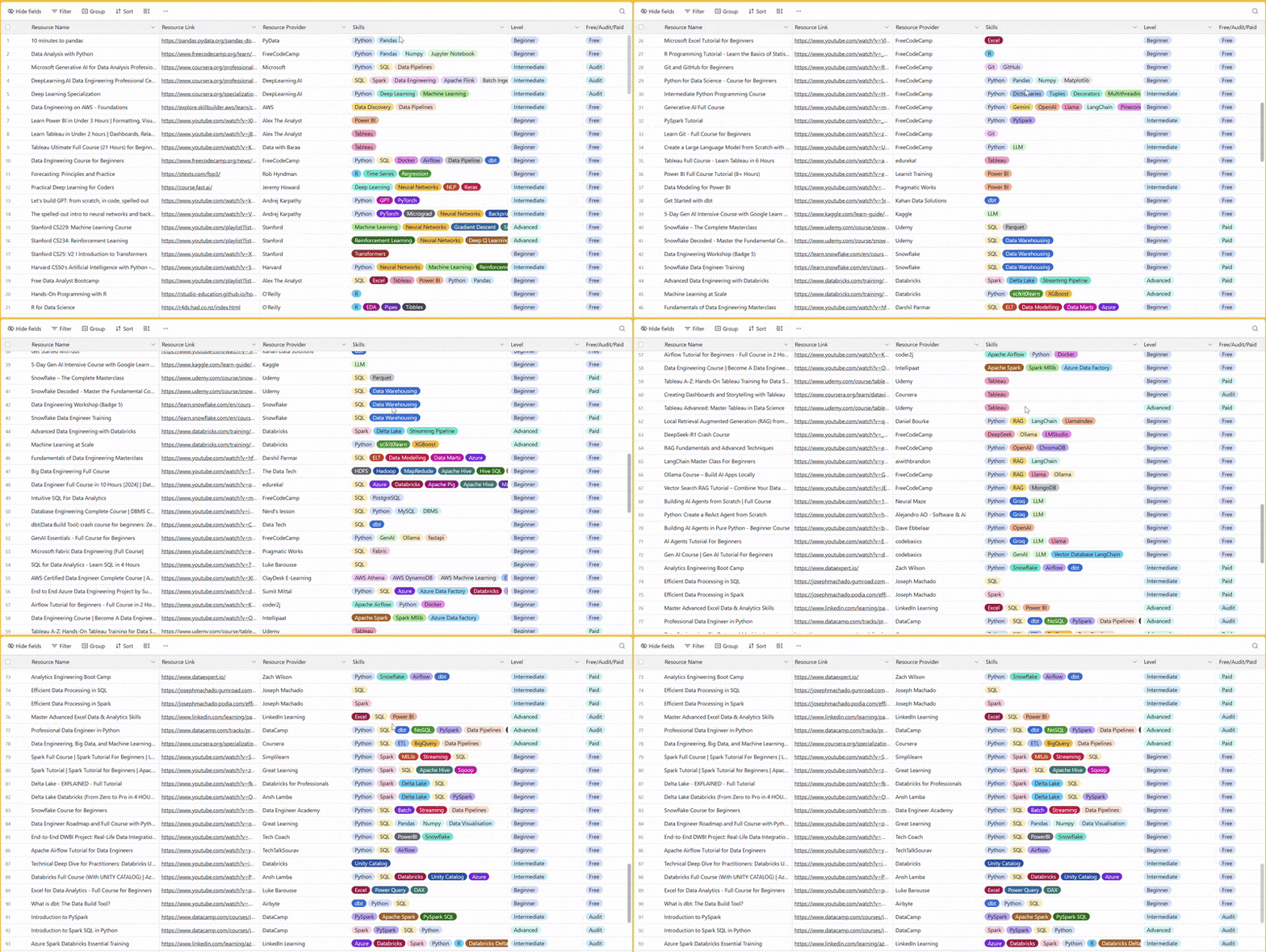
There are 100+ resources to learn all things data (science, engineering, analysis). It includes videos, courses, projects and can be filtered by tech stack (Python, SQL, Spark and etc), skill level (Beginner, Intermediate and so on) provider name or free/paid. So if you know other people who like staying up to date on all things data, please share Data Tinkerer with them!
Now, with that out of the way, let’s get to Notion’s AI Q&A level up!
TL;DR
Situation
Notion launched AI Q&A on top of vector search and quickly faced massive demand across millions of workspaces. The initial system hit limits in capacity, onboarding speed and cost.
Task
Scale onboarding, keep indexes fresh and reduce rising infrastructure costs. At the same time, simplify a growingly complex architecture without hurting latency.
Action
They introduced dual ingestion paths, generation-based indexing, serverless architecture and migrated to turbopuffer. Then reduced recomputation with page state tracking and moved embeddings to Ray for unified compute.
Result
600x onboarding growth, 15x workspace growth and major cost reductions across layers. Latency improved and the system became simpler and more efficient.
Use Cases
Real-time search indexing, semantic search, document retrieval
Tech Stack/Framework
Apache Spark, AWS EMR, Apache Airflow, Apache Kafka, AWS S3, DynamoDB, Ray, turbopuffer
Explained further
Context
When Notion launched AI Q&A in November 2023, the core idea sounded simple enough: let people ask natural-language questions and retrieve relevant knowledge from across their workspace and connected tools. In practice, that meant building a vector search system that could ingest huge amounts of content, stay fresh as pages changed and do all of it at a cost that made sense at Notion scale.
That is the real story here. Not just “vector search powers AI” but what happens after launch, when adoption jumps faster than expected and the infrastructure underneath has to keep up. Over two years, the Notion team pushed that system through several big transitions: scaling onboarding, dealing with storage pressure, changing database architecture, reworking indexing logic and moving embeddings workloads onto Ray. The headline numbers are hard to ignore: 10x scale and roughly one-tenth the cost.
This is a good example of how modern AI infrastructure usually evolves. The first version gets the product live. The next few versions are about survival, then simplification, then cost, then latency, then getting rid of all the awkward bits that built up during the rush.
Vector search, explained through Notion’s lens
Traditional keyword search is literal. It works when users type the exact words that exist in the content. It starts falling apart when the wording changes but the meaning stays the same. Someone searching for “team meeting notes” may still want a page called “group standup summary,” but keyword search does not naturally understand that those are closely related.
Vector search solves that by representing text as embeddings. Instead of storing only words, it maps text into a high-dimensional space where semantically similar ideas sit closer together. That means retrieval is based on meaning, not exact phrasing.
For Notion AI, this matters a lot. The system needs to answer questions in natural language by finding useful content across a workspace and even across connected sources like Slack and Google Drive. That is exactly the sort of setup where semantic retrieval becomes more useful than plain lexical matching. A user is not thinking about the title of the page or the exact phrasing inside a paragraph. They are asking a question in their own words and expecting the system to bridge the gap.
That expectation becomes expensive very quickly.
Part 1: Scaling beyond what the original system expected
At launch, Notion’s ingestion and indexing pipeline had two paths.
The first was an offline path. Batch jobs running on Apache Spark would chunk existing documents, generate embeddings through an API and bulk-load those vectors into the vector database. This handled the heavy lifting for backfilling large amounts of existing content.
The second was an online path. Kafka consumers processed page edits in near real time so live workspaces stayed up to date with sub-minute latency.
It is a practical split. The offline side handles the backlog and large initial loads. The online side keeps things fresh once a workspace is active. Together, the two-path setup gave Notion a way to onboard workspaces at scale without sacrificing freshness for day-to-day edits.
The vector database itself ran on dedicated ‘pod’ clusters, where storage and compute were coupled. The Notion team designed sharding in a way that echoed their Postgres setup: workspace ID was the partitioning key, routing used range-based partitioning and a single config referenced all shards.
That all made sense on paper. Then the product launched and demand was overwhelming.
Notion quickly built up a waitlist of millions of workspaces that wanted access to Q&A. The problem was no longer whether the system worked. It was how fast it could onboard people without cracking under the pressure.
When the indexes started to fill up
Only a month after launch, the original indexes were already nearing capacity.
That is the kind of problem that sounds good in product meetings and bad in infrastructure meetings. If the indexes filled up, Notion would have to pause onboarding. That would slow down rollout and delay access for everyone waiting.
The team had two obvious options.
One was to re-shard incrementally. Clone data into another index, delete half, repeat and keep doing that every couple of weeks as new customers came in.
The other was to re-shard for the final expected volume. But their vector database provider charged for uptime, so over-provisioning would have been painfully expensive.
Instead, the Notion team went with a third approach. When a set of indexes got close to full, they provisioned a new set and directed all newly onboarded workspaces there. Each set was assigned a generation ID, which determined where reads and writes should go.
It is not the prettiest long-term design, but it was a smart short-term move. It avoided repeated re-shard operations and kept onboarding moving. Sometimes the right scaling decision is not the most elegant one. It is the one that buys breathing room without stopping the business.

Turning onboarding into a throughput problem
Even with the architecture in place, the initial onboarding rate was nowhere near enough. At launch, Notion could onboard only a few hundred workspaces per day. At that pace, clearing a multi-million waitlist would have taken decades which is obviously not a real option.
So the team pushed hard on throughput. Using Airflow scheduling, pipelining and Spark job tuning, they dramatically increased capacity.
The results were big:
Daily onboarding capacity increased by 600x
Active workspaces grew 15x
Vector database capacity expanded 8x
By April 2024, the Q&A waitlist was cleared.
That is the kind of milestone that looks clean in hindsight but it came with a cost. Managing multiple generations of databases helped during the hypergrowth phase but it also added operational complexity and financial overhead. The team had solved the immediate scaling problem, but the architecture was starting to feel heavy.
That set up the next phase of the story.
Part 2: Cost becomes the next constraint
In May 2024, Notion migrated its embeddings workload from the original dedicated ‘pod’ architecture to a serverless setup that decoupled storage from compute and charged based on usage instead of uptime.
The effect was immediate. Costs dropped by 50 percent from peak usage, translating into several millions of dollars in annual savings.
That alone would have made the migration worthwhile, but the serverless design also fixed two practical problems. First, it removed the storage capacity constraints that had become a serious scaling bottleneck. Second, it simplified operations because the team no longer had to provision capacity ahead of demand.
Still, even after cutting costs in half, the annual run rate for vector database spend was still in the millions. From an engineering point of view, this is where things get interesting. The easy win had already happened. Now the team had to go after deeper structural gains.
A new search foundation (turbopuffer)
While working on the first round of savings, Notion also evaluated alternative search engines. turbopuffer stood out because it offered significantly lower projected costs.
At the time, turbopuffer was a newer player in search. Its architecture was built on object storage with a focus on cost-efficiency and performance. It also supported both managed and bring-your-own-cloud deployment models and it made bulk modification of stored vector objects easier.
That combination lined up well with what Notion needed.
After a successful evaluation, the team decided to migrate its entire multi-billion-object workload to turbopuffer in late 2024. Since they were already making a provider switch, they used the migration as a chance to clean up the broader architecture too.
Several changes happened together.
First, they fully re-indexed the corpus, increasing write throughput in the offline indexing pipeline to rebuild everything in turbopuffer.
Second, they upgraded the embeddings model during the migration to be more performant.
Third, they simplified the architecture. turbopuffer treats each namespace as an independent index which removed the need to think about sharding and generation-based routing in the same way as before.
Finally, they handled the cutover gradually, migrating one generation at a time and validating correctness before moving on.
This is a strong pattern: if a migration is painful anyway, use it to pay off other infrastructure debt at the same time.
The outcome was solid on several fronts:
60 percent cost reduction on search engine spend
35 percent reduction in AWS EMR compute costs
p50 production query latency improved from 70–100ms to 50–70ms
That is a meaningful improvement across cost and performance, which is not always easy to pull off together.
Avoiding full reprocessing with page state tracking
The next optimization went after a very expensive inefficiency in the indexing pipeline.
Notion pages can be long, so the team chunks each page into spans, embeds each span and stores those vectors with metadata such as authors and permissions. In the original implementation, any edit to a page or its properties triggered a full re-chunk, full re-embed and full re-upload of all spans on that page.
That meant even a tiny change could trigger a lot of unnecessary work.
The team narrowed the problem down to two things that actually mattered:
The page text changes which means embeddings need updating
The metadata changes which means metadata needs updating
To detect those cases, they tracked two hashes per span: one hash for the span text and another for the metadata fields. They chose 64-bit xxHash because it offered a good balance of speed, simplicity, low collision risk and storage footprint.
For caching, they used DynamoDB. Each page had one record containing the state of all spans on that page, including text and metadata hashes.

The win came from using that state to avoid unnecessary work.
Case 1: The page text changes
Imagine Herman Melville editing Moby Dick halfway through a page. Before this improvement, the whole page would have been re-embedded and reloaded. After the change, the system chunks the page, fetches the previous state from DynamoDB and compares text hashes span by span. It can then detect which spans actually changed and only re-embed and reload those.

That is the kind of fix that getting the balance right matters. Miss a changed span and search quality suffers. Reprocess too much and cost stays high.
Case 2: The metadata changes
Now imagine Melville updates permissions so the page becomes visible to everyone. The permissions metadata changes but the text does not.
Previously, that still meant re-embedding and reloading the entire page. With the new approach, Notion compares both text and metadata hashes. If the text hashes are unchanged but metadata hashes differ, the system skips embedding entirely and issues a PATCH command to the vector database to update only the metadata. That is much cheaper than recomputing embeddings.
Across these changes, the Page State Project reduced data volume by 70 percent. That saved money on both embeddings API costs and vector database write costs.
Moving embeddings to Ray (indexing)
In July 2025, Notion started migrating its near real-time embeddings pipeline to Ray on Anyscale.
The motivation came from several pain points in the earlier setup.
One was the ‘double compute’ problem. Spark on EMR handled preprocessing like chunking, transformations and API orchestration, but embeddings themselves were still generated through an external provider that charged per token. So the team was paying for both preprocessing infrastructure and embedding API usage.
Another issue was endpoint reliability. Fresh search indexes depended on the stability of an external embeddings API.
The third problem was clunky pipelining. To smooth traffic and avoid API rate limits, the team had built a multi-step handoff process where Spark jobs passed batches through S3. It worked but it was clunky.
Ray and Anyscale gave Notion a cleaner path.
Ray let the team run open-source embedding models directly, which meant more model flexibility and less dependence on external providers. By consolidating preprocessing and inference onto a single compute layer, they could cut out the double-compute setup. Ray also supports pipelining CPU-bound work such as chunking and page-state detection with GPU-bound embedding generation on the same nodes, which helps keep utilization high.
There was also a developer productivity angle. Anyscale workspaces let engineers write and test pipelines from their preferred tools without having to provision infrastructure manually.
And on the product side, self-hosting embeddings removed a third-party API hop from the user-facing path, which helped reduce end-to-end latency.

The rollout is still ongoing, but early results suggest a 90+ percent reduction in embeddings infrastructure costs. That is a major shift in how the economics of the system work.
Real-time query embeddings on Ray (serving)
Indexing is only half the picture. When users or agents search in Notion, queries must also be embedded on the fly before the vector database can be searched.
That makes serving latency-sensitive. The embedding has to happen fast enough that the search still feels responsive.
Hosting large embedding models is not trivial. GPU allocation, ingress routing, replication and autoscaling all matter, especially when traffic is uneven and expectations for responsiveness are high.
Ray Serve helped Notion here by handling much of that operational layer out of the box. The team could wrap open-source embedding models in persistent deployments that stay loaded on GPU, configure request batching and replication and manage the serving setup with normal Python code plus YAML-based infrastructure configuration.
That is a pretty practical endpoint for the broader journey.
What started as a vector search stack built quickly enough to launch AI Q&A turned into a much more refined system: simpler in some places, more selective in others, cheaper across multiple layers and faster where users feel it. The interesting part is not any single tool choice. It is how the Notion team kept removing bottlenecks one by one: storage limits, awkward shard routing, redundant recomputation, external API dependence and fragmented compute layers.
That is usually what mature AI infrastructure looks like in the real world. Not one giant redesign. A sequence of sharp decisions, each fixing the thing that has become too expensive, too slow or too annoying to keep around.
The full scoop
To learn more about this, check Notion's Engineering Blog post on this topic
If you are already subscribed and enjoyed the article, please give it a like and/or share it others, really appreciate it 🙏


